[Git Learn] Day 1. Why Git?
Series: Learning notes based on Pro Git 2nd Edition Reference: Pro Git Book (Official) Scope: 1.1 About Version Control
Why Did Version Control Evolve?
Version control systems went through three major shifts.
| Gen | Type | Examples |
|---|---|---|
| 1st | Local | RCS |
| 2nd | Centralized | CVS, SVN |
| 3rd | Distributed | Git |
Let me explain each generation using a post office analogy.
1. Local Version Control - "Living Alone"
In the early days, the goal was simply managing versions on my own computer.
Picture a small one-person post office in a rural town. The postmaster writes in the ledger alone, delivers alone, closes up alone. No need to show anyone, so they keep a secret notebook in their desk drawer.
Problem: What if the drawer catches fire? The ledger's gone with no way to recover.

2. Centralized - "Teamwork Begins"
As projects grew, we became a team. Working alone was fine, but with 3 employees now, sharing files between computers became a hassle.
"Hey, let's merge our ledgers into one!"
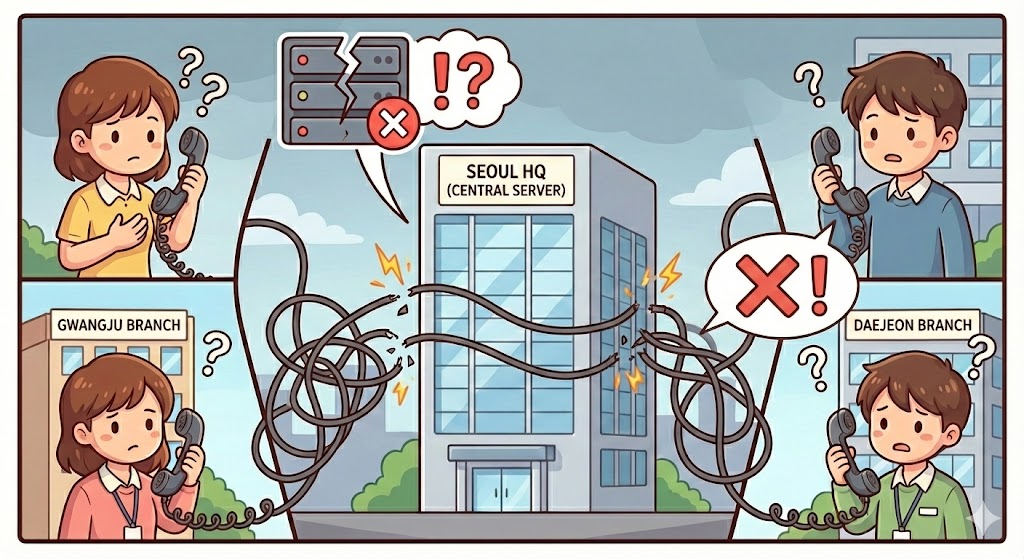
This is how headquarters (central server) was born. Now every branch employee has to call headquarters first thing in the morning to check the ledger before they can work.
Managers loved it. They could see who's doing what at a glance.
But there's a critical problem.
- Headquarters phone goes down? → Every branch nationwide stops working
- Headquarters hard drive crashes? → 10 years of project history vanishes instantly
This is the Single Point of Failure problem.
3. Distributed Version Control - "Enter Git"
Keep collaboration, but what if headquarters goes down and we're still safe?
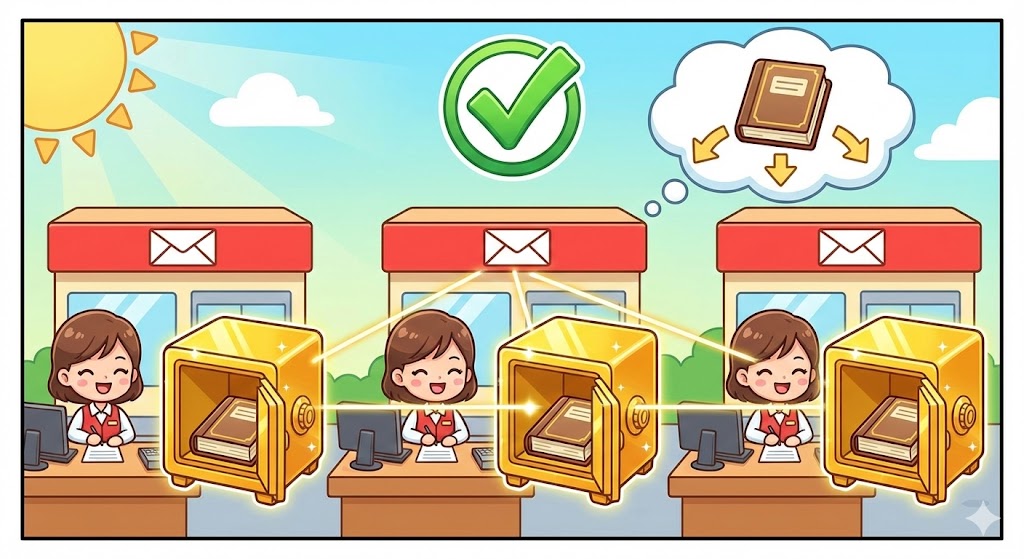
Git's answer was simple. Don't just get the files—take the entire repository history.
Now NYC, LA, Chicago all keep an identical original ledger in their own vault.
The crucial differences:
- Recovery: If headquarters blows up, grab the NYC branch ledger and rebuild headquarters
- Offline work: Even with no connection to headquarters, you have the ledger in your vault—work and commit on an airplane
- Speed: No need to ask over the network; just read from your local hard drive
Summary
Using Git means your computer isn't just a terminal—it's a complete server in itself.
| Command | What it actually does |
|---|---|
git clone |
Copy the entire history of a repository |
git commit |
Record changes locally without a server |
git push |
Sync local records to remote |
Log
- • 2026-02-03: create
- • 2026-02-03: add images